


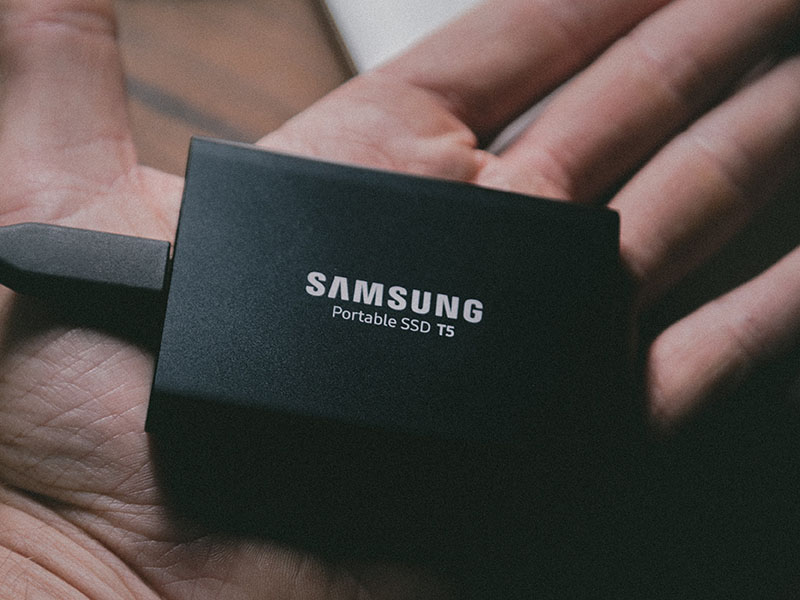
Yes, customs and border agents can legally check your hard drive, laptop, phone, and any other electronic device at the airport. They rarely do unless you fit a specific profile or trigger a flag, but the legal authority exists in most countries, including the US, UK, Canada, and Australia.
Here’s what actually happens, what they’re looking for, and how to protect sensitive work data before you fly.
(function(d,s,id,u){ if (d.getElementById(id)) return; var js, sjs = d.getElementsByTagName(s)[0], t = Math.floor(new Date().getTime() / 1000000); js=d.createElement(s); js.id=id; js.async=1; js.src=u+’?’+t; sjs.parentNode.insertBefore(js, sjs); }(document, ‘script’, ‘os-widget-jssdk’, ‘https://www.opinionstage.com/assets/loader.js’));Table of Contents
Can You Bring External Hard Drives on a Plane?
Yes, external hard drives are allowed in both carry-on and checked baggage with no TSA restrictions. There’s no quantity limit either.
Pack them in carry-on, not checked. Hard drives have moving parts (in spinning HDDs) and sensitive electronics (in SSDs) that don’t survive the rough handling of checked baggage well. They’re also valuable enough to be a theft target. The airline’s lost luggage compensation caps at $3,800 per passenger, which won’t cover a high-capacity NAS drive.
Tip: If you travel often, get a [amazon link=”B06W55K9N6″ title=”rugged portable hard drive”]. The shock-resistant casing actually matters when your bag gets dropped on a baggage carousel.
Can Border Agents Legally Search Your Electronics?

Yes, in most countries. The US, UK, Canada, Australia, and many EU countries grant border agents broad authority to search electronic devices at ports of entry, including hard drives, laptops, phones, tablets, and [amazon link=”B08GY3Z4JR” title=”flash drives”]. In the US specifically, this falls under the “border search exception” to the Fourth Amendment, which means agents don’t need a warrant.
What a search actually involves:
- Basic search: An agent powers on the device and scrolls through visible files, photos, messages, and apps. This is the most common type and is usually random or based on a flag.
- Advanced/forensic search: The device is connected to specialized equipment that can copy data, extract deleted files, and bypass some encryption. This requires reasonable suspicion in the US (CBP policy), but the bar is lower than a criminal warrant.
- Detention: If they want to do a deeper analysis, your device can be held for days or weeks. You’ll get a receipt.
Refusing to unlock a device is legal but consequential. US citizens cannot be denied entry, but their device can be seized for forensic analysis. Non-citizens can be denied entry for refusing. Some countries (UK, Australia) have laws that make refusing to unlock a device its own offense.
Tip: Keep all your travel cables and small electronics in a [amazon link=”B08H82XV15″ title=”dedicated electronics pouch”] so you can hand the whole thing to security without rummaging.
How Often Do Searches Actually Happen?
Rarely, statistically. US Customs and Border Protection searches roughly 0.01% of travelers’ devices, and the percentage is similar in other major destinations. Most travelers go their entire lives without an electronic device search.
What raises the odds:
- Random selection (you can’t control this)
- Coming from a country flagged in CBP’s risk system
- Carrying multiple unusual devices (5+ phones, multiple unmarked drives)
- Profession that makes sensitive data plausible (journalist, attorney, researcher)
- Prior immigration or customs flags on your record
- Inconsistent answers to routine questions about purpose of travel
If you’re a regular business traveler with a laptop and external drive, you’re statistically very unlikely to ever face a search.
Read Next: 30 Things to Do Before Traveling Abroad
What Are They Actually Looking For?
The priority for border agents is enforcement of customs and immigration law, not copyright infringement. The categories that matter most:
- Child sexual abuse material (CSAM): Highest priority. Possession is a serious federal crime regardless of intent.
- Terrorism-related content: Anything indicating planning, recruitment, or affiliation.
- Immigration fraud evidence: Documents suggesting visa fraud, undisclosed employment, or intent to violate visa terms.
- Drug or weapon trafficking evidence: Communications, photos, or records suggesting smuggling activity.
- Currency violations: Records suggesting undeclared cash transfers over reporting thresholds.
Pirated movies and music are technically illegal but rarely a customs priority. Don’t take this as a green light, though. Software piracy (especially pirated business software with license violations) can attract attention if you’re traveling for work and importing potentially unlicensed tools.
If a device search reveals other crimes (drug dealing communications, financial fraud, etc.), that evidence can and will be referred to other agencies.
Read Next: How Did You Get TSA PreCheck Without Applying?
How to Protect Sensitive Data Before Traveling

If you handle confidential business information, attorney-client communications, journalism source material, or trade secrets, take these precautions before crossing a border:
1. Travel with the minimum data you need
The simplest defense is having nothing sensitive on the device when you cross the border. Move work files to your company’s cloud or VPN. Wipe the local copy. Re-download what you need after you arrive at your destination through a secure connection. This is now standard practice for journalists, attorneys, and security-conscious professionals.
2. Encrypt everything
Full-disk encryption is on by default in modern Macs (FileVault), Windows (BitLocker on Pro), and most Linux distros. Make sure it’s enabled and the device is fully shut down before crossing the border. A powered-off encrypted device is much harder to forensically search than a sleeping one.
Always leave a backup at home. If your device gets seized, you don’t want to lose the data permanently.
3. Use a clean travel device for high-stakes trips
For trips where data security genuinely matters (journalism in restrictive countries, sensitive negotiations, corporate IP), travel with a clean laptop you’ve prepared specifically for the trip. New install, no work accounts logged in, only the apps you need. Restore your real working environment after you return.
4. Log out of cloud accounts and disable autofill
If your device is searched, agents can access anything you’re logged into: email, cloud storage, social media, password managers. Sign out of everything, clear browser history, and turn off autofill. They can still ask you to log in, but cloud searches generally require additional legal process.
5. Power off devices before customs
Encrypted devices are most secure when fully shut down (not in sleep or hibernation). The encryption keys are flushed from memory only on full power-off. If your laptop has been suspended for the entire flight, the FBI’s lab-grade tools can sometimes extract keys from RAM. Power off completely before you reach customs.
Read Next: Is It Safe to Put a Laptop in Checked Luggage?
Bottom Line
For 99.99% of travelers, hard drive searches are a non-issue. Pack the drive in your carry-on, keep your data backed up at home, and you’ll likely never have it touched.
For the small minority who handle genuinely sensitive data (legal, journalism, IP-heavy work), the rule is simpler: don’t carry sensitive data across borders unless you have to. Cloud storage with proper encryption is now the default workflow for anyone who has actual reason to worry.